contrⒶLS · Bi-Level · Occupancy sensor
MSP-HTO/07P3 /BLS
Outdoor PIR occupancy sensor · 3-pin · IP65
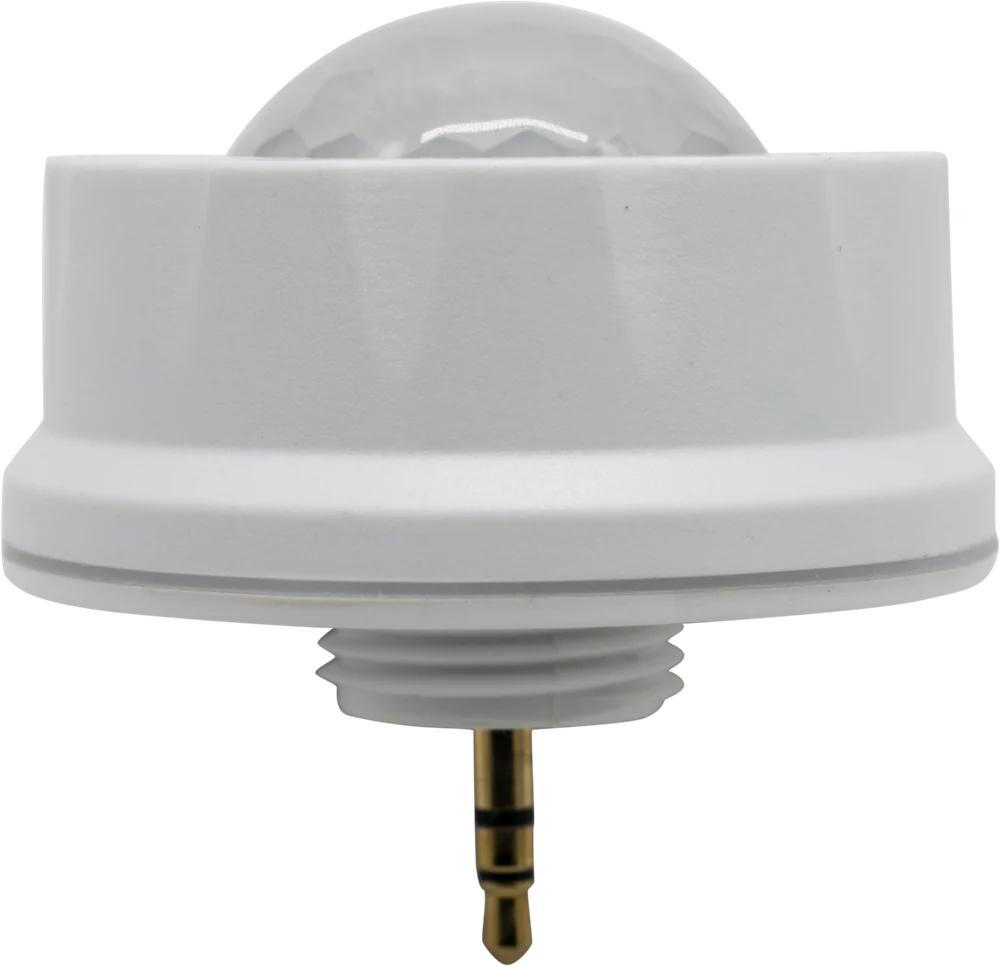
Outdoor PIR occupancy sensor for covered parking and building perimeters. Mounts up to 39 ft on luminaires with a 3-pin sensor port and is rated IP65. Hold time, stand-by level and daylight harvesting are set with the IR remote. No network, no app. When the area empties, the light drops to the stand-by level instead of switching off.
Sensor
OCCUPIED
Light level
100%
Hold
—
Stand-by shown at the 10% floor of the 10–100% range.
Downloads
Documents & tools
Documents
- DatasheetMSP-HTO/07P3/BLSPDF ↓
- Quick SheetMSP-HTO/07P3/BLSPDF ↓
- Sell SheetMSP-HTO/07P3/BLSPDF ↓
- contrⒶLS Product GuideAll platforms · selection and orderingPDF ↓
Tools & support
Model specifications
MSP-HTO/07P3/BLS
Performance
| Detection | Passive infrared (PIR) |
|---|---|
| Max mounting height | 39 ft (12 m) |
| Detection range | Adjustable · IR remote |
| Hold time | 5 s – 30 min |
| Stand-by dimming | 10 – 100% |
| Daylight harvesting | Yes |
Electrical
| Input voltage | 10–15 Vdc |
|---|---|
| Connector | 3-pin outdoor |
Installation
| Commissioning | IR remote |
|---|---|
| Network | None · standalone |
Construction
| Rating | IP65 |
|---|---|
| Operating temp | −22 °F to 140 °F (−30 °C to 60 °C) |
| Finish | White |
Compliance
| Certification | UL Listed |
|---|---|
| DLC NLC | No · standalone sensor |
| Warranty | — |
How it works
One sensor, one luminaire. Nothing to network.
Occupied
Full output on motion
The sensor sees movement and the fixture runs at full output.
Vacant
Hold time, then stand-by
After the hold time (5 s – 30 min) the light drops to its stand-by level instead of switching off.
Daylight
Holds back when it's bright
The built-in daylight sensor keeps the fixture from running when there is enough daylight.
Set-up
IR remote, from the floor
Hold time, stand-by level and range are set with the RM-HT/06S remote. Walk-through test mode included.
Detection
Rated to 39 ft.
Mounting · side elevation, to scale39 ft max
Adjustable on sitestandalone
Hold time
5 s – 30 minSet with the remote.
Stand-by level
10 – 100 %Where the light rests when the space is empty.
Detection range
IR adj.Adjustable with the IR remote. Pattern not dimensioned on the datasheet.
Daylight
YesBuilt-in daylight harvesting sensor.
Connector
3-pin outdoor
Plugs into the luminaire's 3-pin sensor receptacle. 10–15 Vdc input.
Where it fits
Luminaires that take this sensor
Compatible remote
RM-HT/06S
LCD full-configuration remote
Platforms
Same plug-in idea, three ways to run it.
Bi-Level
Standalone
- Network
- None · standalone
- Set up with
- IR remote, dials or DIP
- Scale
- One fixture
- Input
- 10–15 Vdc · or line voltage
- Reporting
- —
- DLC NLC
- No · standalone
by ⒶCS
Mesh + cloud
- Network
- Wireless mesh
- Set up with
- ⒶCS app · QR code
- Scale
- Up to 500 nodes
- Input
- 12–24 Vdc · or line voltage
- Reporting
- Cloud dashboard · rebate export
- DLC NLC
- Listed · V5.2
Nearest ⒶCS outdoor PIR
MSP-SRO/903PX/ACSby SILVAIR
Enterprise NLC
- Network
- Wireless mesh · SILVAIR
- Set up with
- SILVAIR app
- Scale
- 500+ nodes
- Input
- 12–24 Vdc
- Reporting
- BMS via open APIs
- DLC NLC
- Listed · V5.2
Nearest SILVAIR outdoor PIR
MSP-SRO/903P3/NLCOrder
Read the catalog number
MSP
PIR sensor
HTO
Outdoor
07P3
Series 07 · 3-pin
/BLS
Bi-Level
Ordering information
At a glance
| Catalog number | MSP-HTO/07P3/BLS |
|---|---|
| UPC | 819313022988 |
| Listing | UL Listed |
| DLC | Not applicable · standalone |
| Warranty | — |
| Brand | contrⒶLS |
| Platform | Bi-Level |
| Manufacturer | Archipelago Lighting Group |
Not sure which platform?
Standalone, mesh or enterprise.
Start from the job: one fixture that dims itself, a building you want to see and report on, or a network that talks to the BMS.
Rebates
Check rebates before you specify.
Utility programs for lighting controls vary by service territory. The Rebate Center shows what applies to your site.